
Security questionnaires slow down sales. The answers already exist in your policies, assessments and reviews; they are just scattered. soc2audit.ai brings them together and drafts each answer for you to approve.
How it works
- Upload or paste the questionnaire. The AI extracts each question in the background.
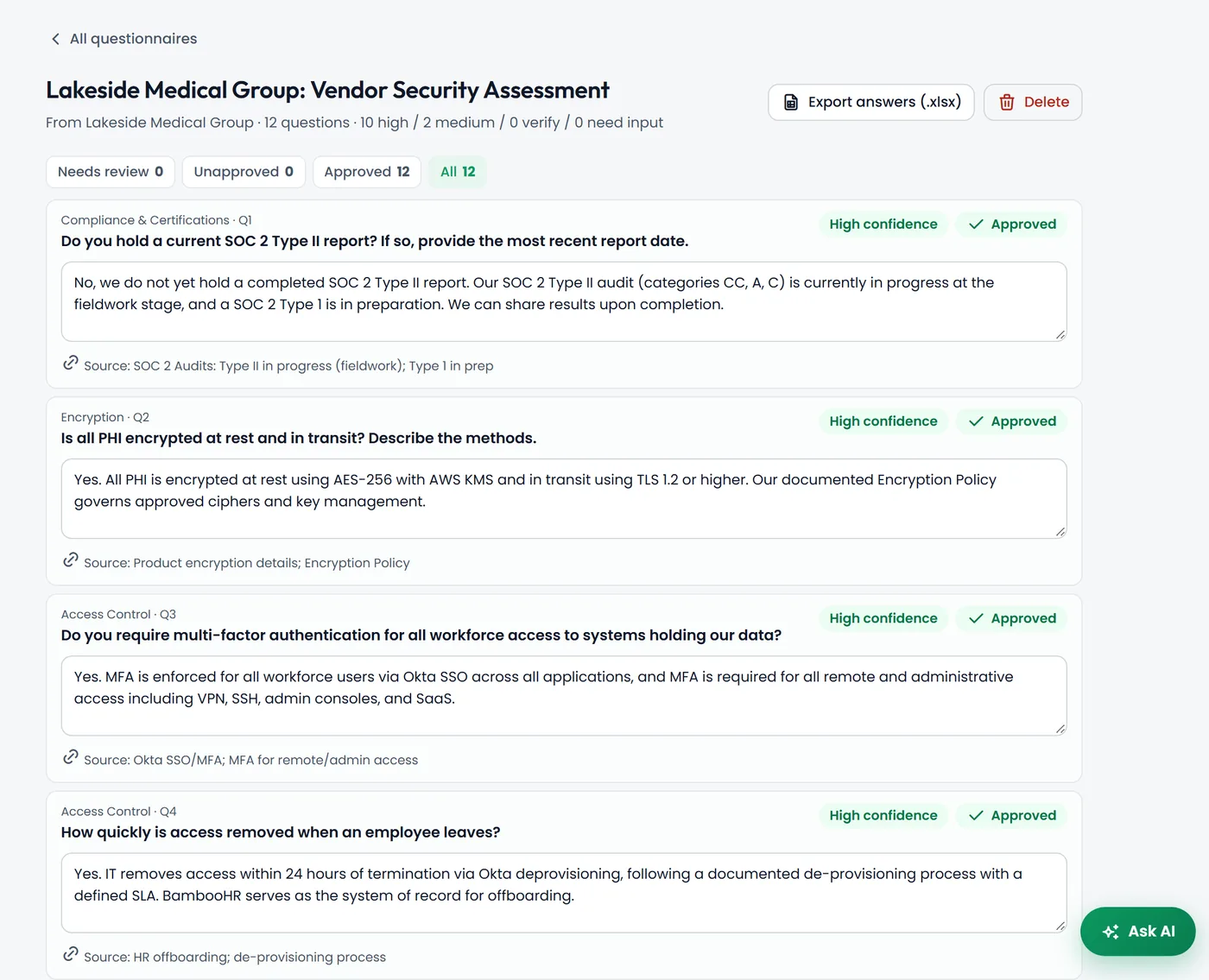
- The AI drafts answers from your company profile, audit status, gap assessment, policies, staff acknowledgments, signed reviews, risk register and vendors.
- Each answer shows a confidence level (high, medium, low or gap) and where it came from.
- You review with a needs-review filter and inline editing, approve high and medium confidence answers in bulk, then export an Excel answer sheet.
Honest by design
The AI does not bluff. Where your program has a known gap, it says so, and where it lacks information it writes "Needs input" for you to fill in instead of inventing an answer. Answers get better as your program data matures, because they come from what you have actually documented.
Grounded in your data
Answers come from your own policies, assessments and reviews, not generic boilerplate.
Confidence and sources
Every answer shows how confident the AI is and what it relied on.
Export and send
Approve answers and export an Excel answer sheet to return to your customer.
Frequently asked questions
What formats can I upload?
Upload a questionnaire file or paste the questions as text. The AI extracts the questions in the background so large questionnaires do not time out.
Will the AI make up answers?
It is designed not to. It answers from your program data, marks known gaps honestly, and writes "Needs input" when it does not have the information.
Do I need to finish SOC 2 first?
No. You can answer questionnaires at any stage. The more of your program you have documented in soc2audit.ai, the more answers come back with high confidence.