
Access reviews are one of the most commonly tested SOC 2 controls, and one of the most tedious to run by hand. soc2audit.ai structures the whole campaign.
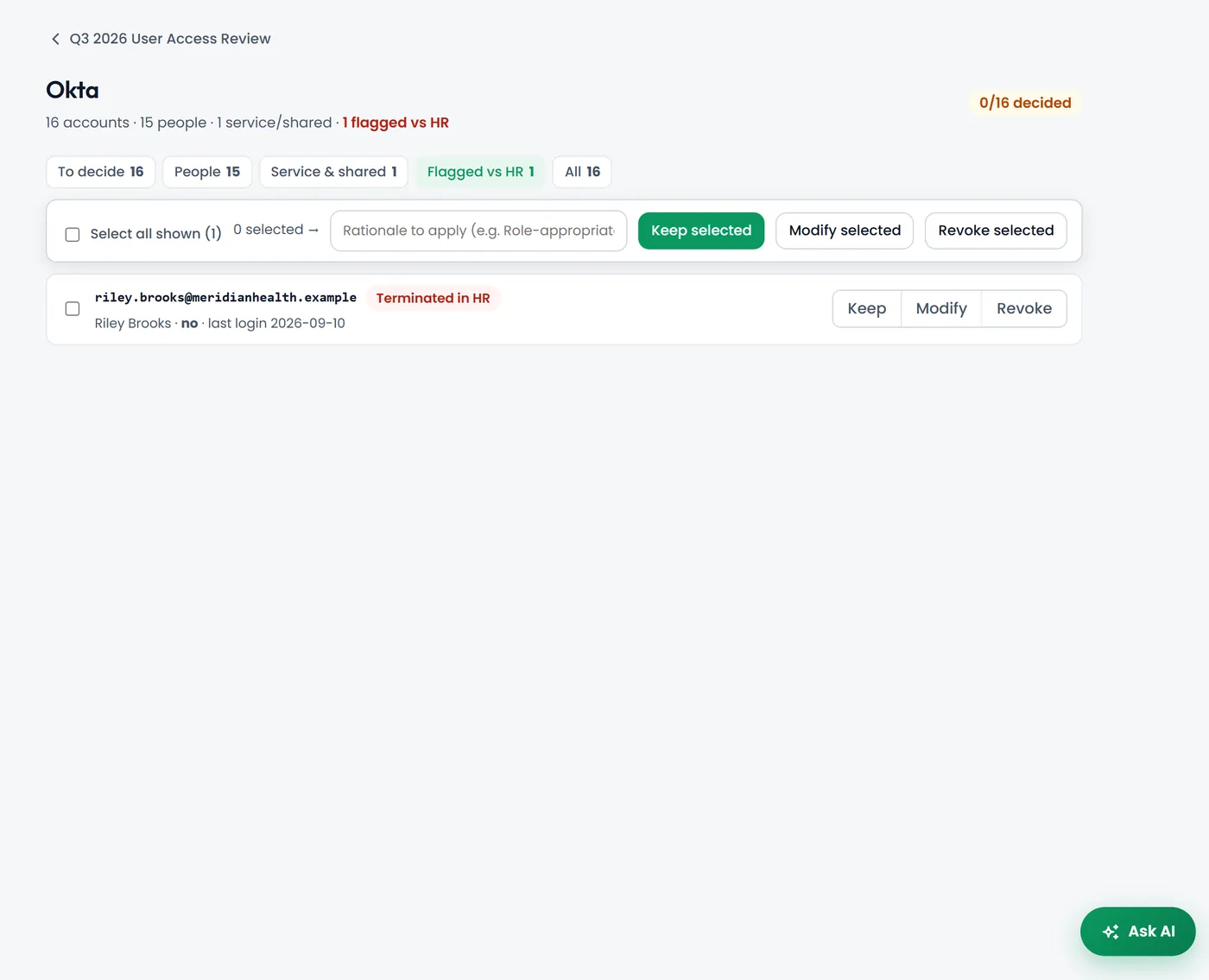
How a review campaign works
- Load your HR roster as the source of truth for who works for you.
- Add each platform from eight categories, with a walkthrough for exporting its user list. Large exports are parsed in the background.
- Automatic matching: accounts are matched to people by email, then name, then fuzzy match, and the AI classifies service accounts.
- Decide keep, modify or revoke for each account, with a rationale, using bulk actions for the obvious ones.
- Sign off and export a working paper (.docx) that attaches to your SOC 2 evidence.
Catch leavers
Accounts that do not match an active person stand out, such as former employees who still have access.
Service accounts
Shared and service accounts are identified so you can record who uses them and how the password is managed.
Audit-ready output
A signed working paper with every decision and rationale, ready for your auditor.
Connected checks
If you connect Okta, Microsoft 365 or GitHub read-only, soc2audit.ai also runs access checks such as MFA coverage and dormant accounts, which feed your evidence automatically.
Frequently asked questions
How often should we review user access for SOC 2?
SOC 2 does not set a fixed frequency; your auditor tests whether you follow the cadence in your own policy. Quarterly reviews of critical systems are a common choice.
Which systems can I review?
Any system you can export a user list from. The platform groups them into eight categories with export walkthroughs.
What does the auditor receive?
A signed working paper listing every account, the matching result, your decision and rationale, attached to the access review evidence request.